How Much RAM and Storage Do You Actually Need on a Mac? (2026)
Sep 3, 2026 · AppleBitcoin
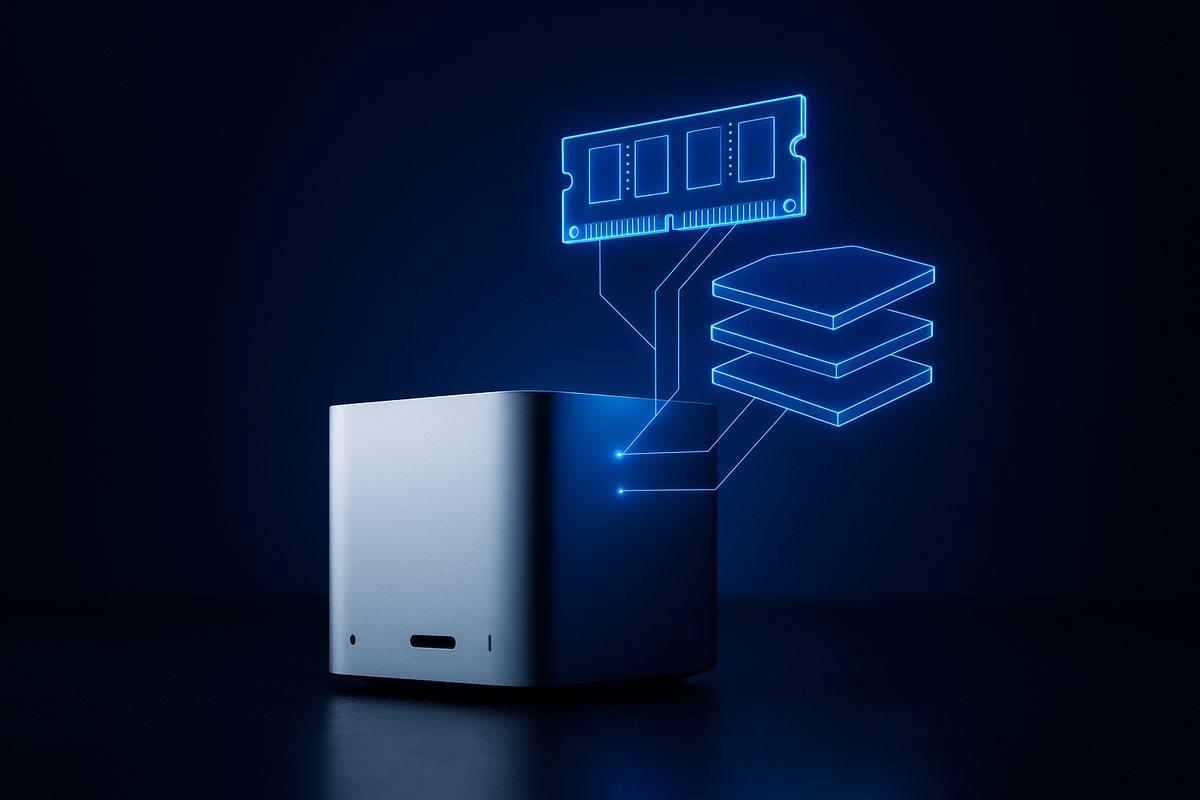
There is a moment in every Mac purchase where the configurator asks for more money and you have no idea whether to say yes. Another 16GB of memory. Another terabyte. The upgrade is permanent — Apple silicon has no user-serviceable memory or storage on any current model — and the price is not small.
Most advice on this is vibes. So instead of guessing, we went to the software vendors and read what they actually require.
First: what "unified memory" is, minus the marketing
On a conventional PC, system RAM and a graphics card's VRAM are separate pools joined by a PCIe bus, and moving data to the GPU means copying it. Apple silicon puts one pool of memory in the same package as the CPU, GPU and Neural Engine. Apple's description from the original M1 announcement:
"M1 also features a unified memory architecture that brings together high-bandwidth, low-latency memory into a single pool within a custom package. This allows all of the technologies in the SoC to access the same data without copying it between multiple pools of memory."
That is genuine and it matters, particularly for anything graphics- or AI-heavy, because the GPU can address far more memory than a typical discrete card's fixed allotment.
What is not genuine is the arithmetic that got attached to it. In 2023 an Apple marketing executive suggested 8GB on a Mac was "probably analogous to 16GB on other systems". The Register pushed back at the time, and the rebuttal has aged well:
"While co-packing memory alongside the processor does have advantages when it comes to things like access latency and bandwidth... this doesn't change the fact that you can fit less into 8GB of memory than 16GB."
Treat unified memory as roughly comparable to the same number of gigabytes elsewhere. Efficient, well-managed, faster to reach — but not double.
Bandwidth, which is the number nobody quotes
Capacity gets the attention; bandwidth is what separates the chip tiers. Same memory figure, very different throughput:
| Chip | Memory bandwidth | Max unified memory |
|---|---|---|
| M4 | 120 GB/s | 32GB |
| M5 | 153 GB/s | 32GB |
| M6 | up to 170 GB/s | 32GB |
| M4 Pro | 273 GB/s | 64GB |
| M5 Pro | 307 GB/s | 64GB |
| M4 Max | 410 / 546 GB/s by GPU tier | 128GB |
| M5 Max | 460 / 614 GB/s by GPU tier | 128GB |
| M5 Ultra | 1,200 GB/s | 512GB |
An M5 Max with 36GB moves data roughly three times faster than an M5 with 32GB. If your work is bandwidth-bound — video, 3D, large models — the chip tier can matter more than the memory number, and paying for memory on a base chip is the wrong upgrade.
What the software vendors actually ask for
These are published requirements, not opinions:
| Software | Minimum | Recommended | Storage note |
|---|---|---|---|
| Final Cut Pro | 8GB | 16GB; 32GB+ for complex projects | 6.5GB for the app. Apple recommends 2GB/s+ storage read speed. |
| Final Cut, Immersive Video | 32GB | 64GB | The single most demanding thing Apple publishes a figure for. |
| Logic Pro | No GB figure published | — | 6GB minimal install, 72GB for the full Sound Library. |
| DaVinci Resolve | 16GB | 32GB required if you use Fusion | Fast NVMe expected. |
| Premiere Pro | 16GB on Apple silicon | 32GB+ for 4K and above | 8GB for the app plus scratch space. |
| Photoshop | 8GB | 16GB+ | 20GB minimum, 100GB recommended. |
| Blender | 8GB | 32GB | Unified memory covers the Metal GPU path. |
| Docker Desktop | 4GB | Not published | Per-VM, so containers stack on top of your IDE and browser. |
| Xcode | No GB figure published | — | Apple gates on macOS version only. Budget 50-80GB of free disk. |
Two honest observations. Apple publishes no memory figure at all for Xcode or Logic Pro, which is unhelpful but at least means nobody can tell you authoritatively that you need 32GB for either. And Docker's 4GB is per virtual machine — the reason developers feel memory pressure is not Docker itself but Docker plus an IDE plus forty browser tabs.
Local AI models, where the numbers are brutal and specific
This is where memory stops being negotiable. From published model card figures for quantised Llama 2 builds:
| Model | Quantisation | File size | RAM to run |
|---|---|---|---|
| 7B | Q4_K_M | 4.08GB | 6.58GB |
| 7B | Q8_0 | 7.16GB | 9.66GB |
| 13B | Q4_K_M | 7.87GB | 10.37GB |
| 13B | Q8_0 | 13.83GB | 16.33GB |
| 70B | Q4_K_M | 41.42GB | 43.92GB |
| 70B | Q8_0 | 73.29GB | 75.79GB |
Which converts cleanly into buying advice: 16GB runs 7B models with room to work. 24GB is comfortable for 7B and workable for 13B. 32GB is the realistic floor for 13B at higher precision. 70B needs 64GB minimum and really wants 96GB. This single use case justifies more memory upgrades than every other reason combined, and it is why Apple now sells a Mac Studio configurable to 512GB.
How to tell whether you personally need more
Stop guessing and read the machine you already own. Open Activity Monitor, go to the Memory tab, and look at Memory Pressure. Apple's own guidance:
- Green — "Your computer is using all of its RAM efficiently."
- Yellow — "Your computer might eventually need more RAM."
- Red — "Your computer needs more RAM."
And the line most people get wrong, again from Apple:
"When you have free or unused memory, your computer performance does not necessarily improve. macOS obtains the best performance by efficiently using and managing all of your computer's memory."
A Mac showing almost no free memory and solid green pressure is working correctly, not struggling. Free memory is wasted memory. Judge by the colour, not by the gigabytes.
What about swap wearing out the SSD?
Worth addressing because it still circulates. In early 2021, M1 owners reported alarming SSD write figures, and a developer estimated some drives could exhaust their rated endurance within a couple of years. Apple's position, given informally, was that the SMART data being read by third-party tools was simply wrong for its drives. Follow-up analysis concluded endurance ratings are conservative and the worst cases were tied to Rosetta 2 and unoptimised browsers churning swap; the reporting issue was addressed in macOS 11.4. The developer who raised it never fully accepted that framing, so it is not a closed argument — but five chip generations later, no wave of failures has materialised. Treat it as a real, narrow, largely resolved episode rather than a reason to buy memory.
Storage: the upgrade people regret skipping
Memory can be worked around by closing things. Storage cannot be worked around at all, and it is not upgradeable on any current Mac.
Some scale: ProRes 422 at 4K/25fps runs roughly 236GB per hour, ProRes 422 HQ about 354GB, ProRes 4444 about 531GB. Xcode wants 50-80GB free. Logic's full Sound Library is 72GB. A 512GB Mac is generous for a writer and gone in a fortnight for a video editor.
External storage is the honest escape hatch and Thunderbolt is genuinely fast — Thunderbolt 4 at 40Gb/s, Thunderbolt 5 at 80Gb/s symmetric. For media libraries, archives and anything you scratch to, an external drive costs a fraction of Apple's internal upgrade. What it will not do is hold your system, your apps or anything you need when the drive is not plugged in.
Our rule of thumb: buy internal storage for the operating system, applications and current projects; buy external for libraries and archive. If you are a video editor, ignore that and buy the biggest internal you can afford.
The 8GB era is over, which matters if you buy used
Apple moved the base configuration to 16GB in October 2024. From the announcement:
"Now, models with M2 and M3 double the starting memory to 16GB, while keeping the starting price at just $999."
The practical consequence is for the second-hand market. A MacBook Air with M1, or a base MacBook Pro with M3 or earlier, was very likely sold with 8GB. That is now below the base configuration of every current Mac. It is still a perfectly good machine for writing and browsing — but check the specification rather than assuming, because two identical-looking laptops can differ by a factor of two in memory.
So what should you buy
| You are | Memory | Storage | Reasoning |
|---|---|---|---|
| Student, writer, browsing | 16GB | 512GB | Base config on any current Mac is already right. Spend nothing extra. |
| Photographer | 16-24GB | 1TB+ | Photoshop wants 16GB+; libraries grow relentlessly. |
| Web developer | 24-32GB | 512GB-1TB | Docker is 4GB per VM before your IDE and browser. |
| 4K video editor | 32GB+ | 1-2TB internal | Resolve wants 32GB with Fusion. ProRes eats hundreds of GB per hour. |
| Running local LLMs | 32GB for 13B, 64GB+ for 70B | 1TB+ | The published figures leave no room to negotiate. |
| 8K, colour grading | 64GB+ | 2TB+ internal | Bandwidth matters here too — you want a Max or Ultra tier. |
The pattern across all of it: most people are being upsold memory they will never use, and under-buying the storage they will run out of within a year. If you are choosing one upgrade on a general-purpose Mac, storage is usually the one that pays.
We stock the current line — MacBook Air and Pro, Mac mini, Mac Studio and displays — in a spread of configurations, and you can pay in Bitcoin, Ethereum or stablecoins. If you are deciding between form factors, iMac versus Mac mini covers that trade-off, and the M6 Mac mini is the cheapest way into a current-generation desktop.
Frequently asked questions
Is 16GB of unified memory enough on a Mac in 2026?
For most people, yes. 16GB is the base configuration on every current Mac except the MacBook Neo, and it comfortably covers browsing, office work, study, writing, photo editing and light development. You need more if you run Docker alongside an IDE, edit 4K video, use DaVinci Resolve's Fusion page (which requires 32GB), or run local language models above about 7B parameters.
Is unified memory really worth double normal RAM?
No. Apple's unified memory architecture genuinely removes the copy step between CPU and GPU and offers high bandwidth, which helps a lot in graphics and AI workloads. But the claim that 8GB unified equals 16GB elsewhere was marketing and was publicly challenged at the time. Treat a gigabyte of unified memory as roughly a gigabyte — faster and better managed, not twice as large.
How much RAM do I need to run a local LLM on a Mac?
Based on published quantised model figures: a 7B model at Q4 needs about 6.6GB to run, so 16GB is workable. A 13B model at Q4 needs about 10.4GB, and 16.3GB at Q8, so 32GB is the sensible floor. A 70B model at Q4 needs about 44GB, meaning 64GB minimum and 96GB for comfort. This is the use case that most justifies a memory upgrade.
Should I buy more storage or use an external SSD?
Both, in different roles. Apple silicon storage cannot be upgraded after purchase, so the internal drive has to cover macOS, applications and active projects. External Thunderbolt drives are fast — 40Gb/s on Thunderbolt 4, 80Gb/s on Thunderbolt 5 — and far cheaper per terabyte, which makes them right for media libraries and archives. Video editors should still buy the largest internal they can afford.
Does heavy swap usage damage a Mac SSD?
This was a genuine controversy in early 2021 when M1 owners reported high write figures, but the evidence pointed to a combination of conservative endurance ratings and a SMART reporting bug, addressed in macOS 11.4. The developer who first raised it disputed that conclusion, so it is not fully settled — but no wave of failures has appeared across five subsequent chip generations. It is not a reason to buy extra memory.
How do I know if my Mac needs more memory?
Open Activity Monitor, select the Memory tab and read the Memory Pressure graph rather than the free-memory figure. Apple's guidance is that green means memory is being used efficiently, yellow means you might eventually need more, and red means you need more now. Apple also notes that free memory does not improve performance — a Mac using nearly all its memory with green pressure is working as designed.
Ready to buy Apple with crypto?
Genuine, sealed Apple products. Pay in Bitcoin, Ethereum or stablecoins.
Shop now