iMac or Mac mini in 2026? The Honest Answer Includes the Monitor Bill
Aug 23, 2026 · AppleBitcoin
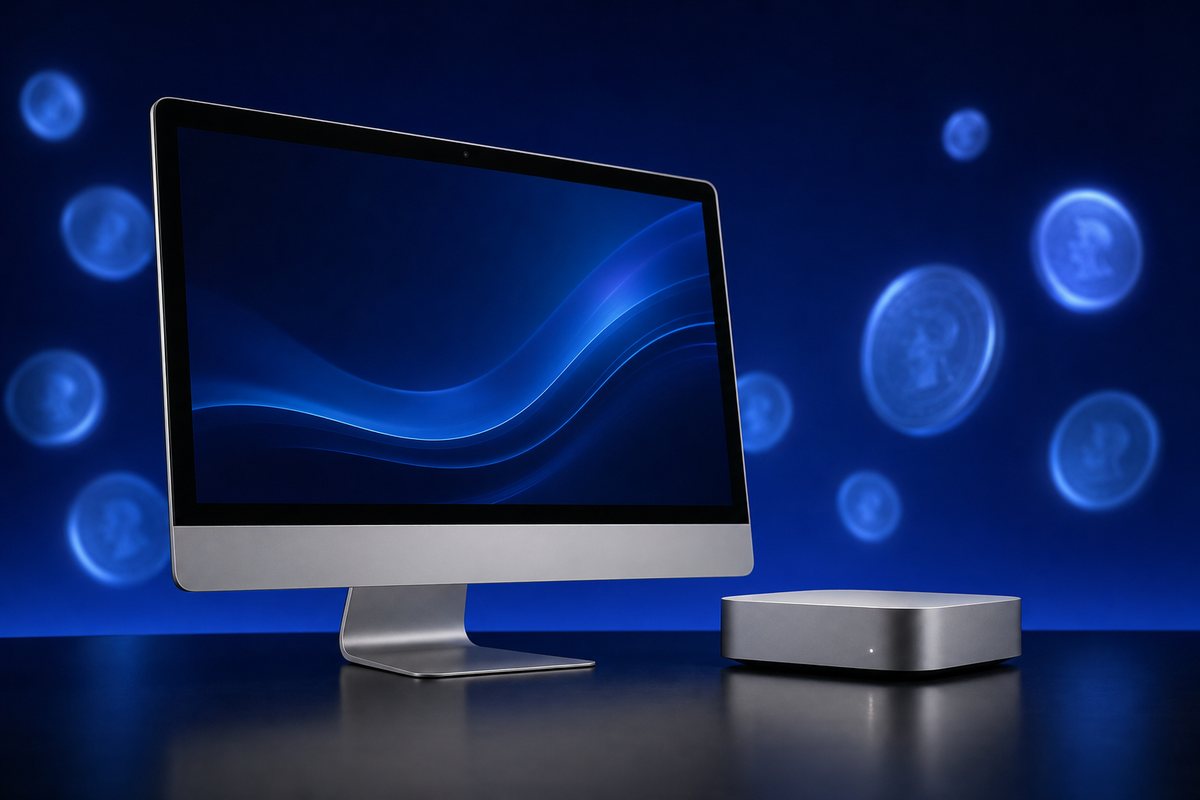
Every "iMac vs Mac mini" comparison online repeats the same line: the Mac mini is the cheaper one. On Apple's own price list that is true — $799 against $1,499. It is also close to useless as advice, because a Mac mini is a computer with no screen, no keyboard, no mouse, no camera and no speakers, and an iMac is all of those things in one price.
The real question is not which computer costs less. It is what does your finished desk cost. Answer that and the decision usually makes itself in about two minutes.
The prices, before we add anything
Apple raised desktop Mac prices in June 2026, so these are current figures rather than launch figures:
| Machine | Base configuration | Apple price |
|---|---|---|
| Mac mini (M4) | 16GB memory, 256GB SSD | $799 |
| iMac (M4), 24-inch | 16GB memory, 4.5K Retina display included | $1,499 |
| Mac mini (M4 Pro) | 24GB memory, 512GB SSD | $1,599 |
| Mac Studio (M4 Max) | Workstation class | $2,499 |
Hold the $700 gap between the mini and the iMac in your head, because everything below is about whether that gap survives contact with a monitor.
What the iMac's $1,499 actually buys
The 24-inch iMac is not a monitor with a computer glued on. The panel is a 4.5K Retina display at 4480×2520 — that is a higher pixel count than the 4K monitor most people would buy to sit next to a mini, and it is colour-calibrated at the factory. You also get a six-speaker system, a 12MP Center Stage camera, a three-microphone array, and a colour-matched Magic Keyboard and Magic Mouse in the box.
Priced separately, those are not small items. A 12MP webcam is a $150 accessory. A Magic Keyboard with Touch ID and a Magic Mouse together are about $250. Decent desk speakers are $100 you would rather not spend.
So the honest way to read the iMac price is: a very good 4.5K display, a full accessory kit, and an M4 computer, for $1,499 with one cable going to the wall.
What a Mac mini desk actually costs
This is where the decision splits into three completely different outcomes, and it depends only on which monitor you choose.
| Mac mini setup | Display | Extras | Total | vs iMac |
|---|---|---|---|---|
| You already own a good monitor | $0 | $0–100 | $799–899 | Save $600+ |
| Sensible 27-inch 4K panel | ~$300 | ~$100 keyboard + mouse | ~$1,200 | Save ~$300 |
| Apple Studio Display | $1,599 | ~$100 | ~$2,500 | Spend $1,000 more |
That bottom row is the one that catches people out. A Mac mini paired with Apple's own display is not the budget option — it is the most expensive consumer desktop Apple sells short of a Studio. The mini is only cheap in the company of a non-Apple screen.
If you want the Studio Display anyway, you can buy the Apple Studio Display with crypto at $1,599, and the Studio Display XDR sits above it for reference-grade colour work.
The three things the spec sheet does not tell you
1. macOS is fussy about screen resolution
Apple removed sub-pixel antialiasing from macOS years ago, on the assumption that everyone would be on a Retina-class display. The practical result: text on a 1080p monitor looks soft in a way that Windows users often do not notice and Mac users notice immediately. On a 27-inch panel you really want 4K; on a 24-inch, 4K is comfortable and 1440p is tolerable.
If your plan for saving money is "I'll reuse the old 1080p monitor", budget honestly for the chance you will replace it within a month. That flips the mini from $799 to about $1,100 and closes most of the gap.
2. The iMac's ceiling is fixed, and it is lower
You cannot order an iMac with an M4 Pro or M4 Max. The all-in-one tops out where the base M4 tops out. For the overwhelming majority of buyers this is irrelevant — an M4 handles 4K editing, Xcode builds, big spreadsheets and a hundred browser tabs without complaint.
But if you compile large projects, colour-grade professionally, run local language models or work with 8K footage, the iMac is simply not the machine, and the choice becomes the Mac mini M4 Pro or a Mac Studio M4 Max. We compared those two directly in Mac Studio vs Mac mini M4 Pro.
3. Upgrades are permanent, so buy the memory now
Memory and storage on every Apple silicon Mac are soldered to the package. There is no adding RAM in two years. 16GB is the base on both machines and is genuinely enough for normal work; 24GB or 32GB is the sensible step up if you run virtual machines or local AI models.
Storage is the one to be strategic about. Apple's SSD upgrades cost several times the market rate, and both machines have Thunderbolt ports where an external NVMe enclosure runs fast enough to edit video directly off it. Buying 256GB internal plus a fast external drive usually beats paying Apple for 1TB.
So which one?
| If this is you… | Buy |
|---|---|
| You want a desk that looks finished, in one box, with no research | iMac M4 |
| You already own a monitor you like | Mac mini M4 |
| You want two screens, or an ultrawide | Mac mini M4 — the iMac's built-in panel is the only one it has |
| You want to keep the screen when you replace the computer in five years | Mac mini M4 |
| Family machine, shared desk, kids' homework, video calls | iMac M4 — the camera and speakers matter more than you think |
| You compile, grade, or run local models | Mac mini M4 Pro or Mac Studio |
| You want the cheapest real Mac desktop that will last | Mac mini M4 with a third-party 4K panel |
One under-rated argument for the mini: the display outlives the computer. Monitors comfortably last ten years; a Mac gets replaced in four to six. Buy an iMac and the screen leaves with the machine. That is the strongest case for going modular, and it is not a spec-sheet argument at all.
Buying either one with crypto
Apple does not accept cryptocurrency at its own stores, and there is no sign of that changing. The workable route is a retailer that settles in crypto and ships the sealed retail unit, which is what AppleBitcoin does. Current stock in this category:
| Model | Price |
|---|---|
| Mac mini M4 (2024) | $579 |
| iMac M4 (2024) | $1,279 |
| Mac mini M4 Pro (2024) | $1,589 |
| Mac Studio M4 Max (2025) | $2,479 |
| Apple Studio Display (2026) | $1,599 |
Payment works the way it should: you pick the machine, choose a coin, and the total is locked in USD at the exchange rate shown at checkout, so a price move mid-transaction does not change what you owe. Bitcoin, Ethereum, Litecoin, Monero and roughly twenty other coins are accepted. The full walkthrough is in how to buy, and if you would rather not attach a name and card to a hardware purchase, buying Apple products anonymously covers what is and is not required.
Browse the whole range on the products page — the Mac category now sits separately from MacBooks, so desktops are easy to filter.
The short version
Compare finished desks, not price tags. The iMac at $1,499 is a fair price for a 4.5K display plus accessories plus an M4. The Mac mini at $799 is a bargain if you own a monitor and roughly a wash if you do not. And if you were planning on a mini plus a Studio Display because it sounded like the frugal choice, check that total again — it is $1,000 more than the iMac, not less.
Frequently asked questions
Is the Mac mini actually cheaper than the iMac?
Only if you already own a display. The M4 Mac mini starts at $799 from Apple and the M4 iMac at $1,499, so the mini looks $700 cheaper — but the iMac price includes a 24-inch 4.5K Retina panel, speakers, camera, keyboard and mouse. Add an Apple Studio Display at $1,599 and the mini setup becomes the more expensive of the two. Add a $300 third-party 4K monitor and a $100 keyboard and mouse and the mini lands near $1,200, which is genuinely cheaper. The answer depends entirely on which screen you pick.
Is the M4 iMac powerful enough for real work?
For everything most people do — browsers with 30 tabs, Office, Lightroom, Xcode, 1080p and 4K video edits, music production — yes. The base M4 iMac ships with an 8-core CPU and 16GB of unified memory, which is the same silicon family as the Mac mini. The iMac's limit is not the chip, it is that you cannot fit an M4 Pro or M4 Max in it. If your work needs more GPU or more than 32GB of memory, the ceiling is the Mac mini M4 Pro or the Mac Studio.
Can I use an old monitor with the Mac mini?
Almost certainly. The M4 Mac mini has HDMI plus Thunderbolt ports, so any modern monitor with HDMI, DisplayPort or USB-C works, and cheap adapters cover DVI. The thing to check is resolution: macOS text looks noticeably soft on 1080p and on 1440p panels below about 27 inches, because macOS does not do sub-pixel antialiasing any more. If you are reusing a 1080p monitor, budget for the fact that you may end up replacing it anyway.
How much memory and storage should I buy?
Apple's memory and SSD upgrades are soldered and cannot be changed later, and they are the most expensive part of any Mac configuration. 16GB is now the base on both machines and is fine for general use; go to 24GB or 32GB if you run virtual machines, large Lightroom catalogues, or local AI models. Storage is the one to plan hardest, because the 256GB base SSD on the mini fills quickly and external Thunderbolt storage is far cheaper per gigabyte than Apple's upgrade.
Should I wait for the next model?
Apple raised desktop Mac prices in June 2026 and the Mac Studio is the machine closest to a refresh, so if you want a Studio specifically, waiting is defensible. The iMac and Mac mini were both updated with M4 silicon and are mid-cycle. Waiting has a cost of its own in 2026: memory and SSD component prices have been under real pressure from AI-server demand, and the June increase went up, not down.
Can I buy an iMac or Mac mini with Bitcoin?
Yes. Apple itself does not accept cryptocurrency directly, so the practical route is a retailer that settles in crypto and ships the sealed retail unit. AppleBitcoin accepts Bitcoin, Ethereum, Litecoin, Monero and around twenty other coins, prices in USD at the rate at checkout, and ships worldwide. No card, no credit check and no bank in the middle.
Ready to buy Apple with crypto?
Genuine, sealed Apple products. Pay in Bitcoin, Ethereum or stablecoins.
Shop now