Apple Cables and Chargers Explained (2026): Watts, Speeds and What Actually Matters
Sep 6, 2026 · AppleBitcoin
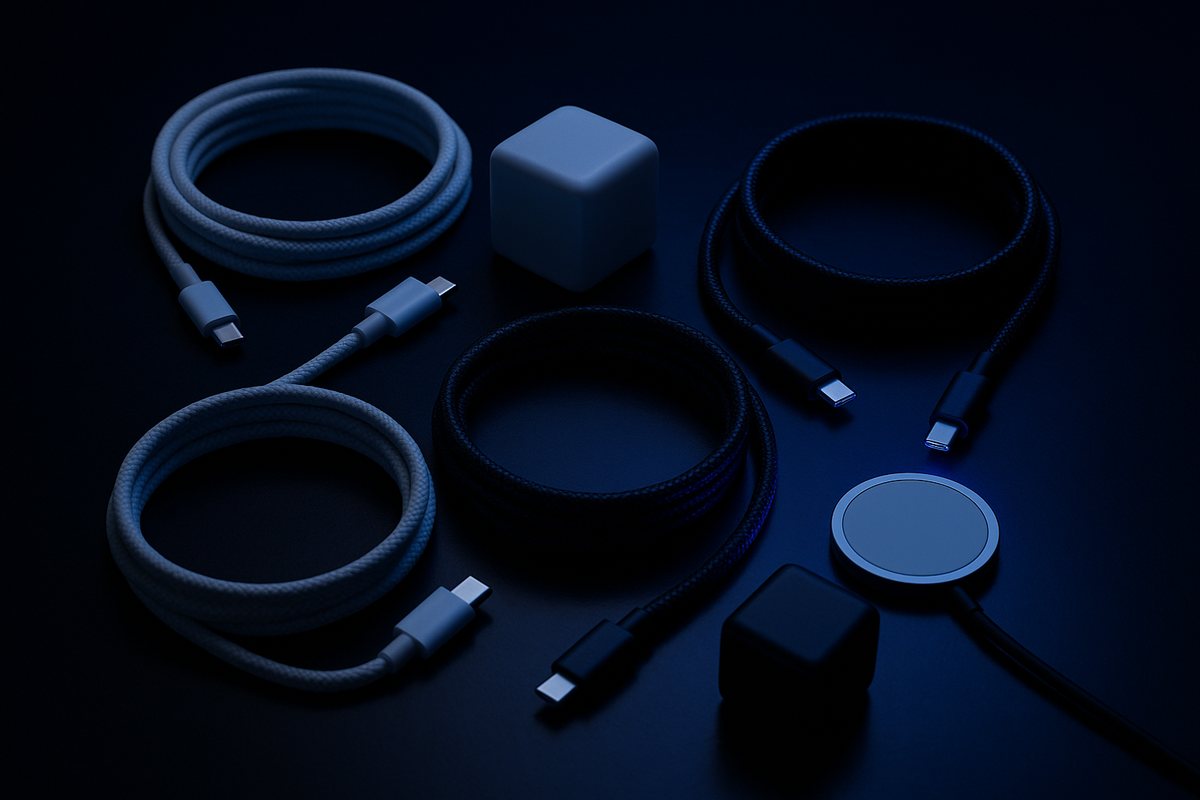
Apple sells six USB-C cables that look almost identical and cost between $19 and $129. They differ enormously, in ways the packaging does not make obvious, and the differences are not the ones most people assume.
Here is the fact that reorganises everything: Apple's 240W USB-C Charge Cable — the expensive-sounding one — transfers data at 480Mbps. That is USB 2.0, the same speed as a cable from 2001, and exactly the same speed as the cheaper 60W cable. Watts and data speed are entirely separate specifications, and Apple's charge cables optimise only the first.
Every Apple cable, what it actually does
| Cable | Price | Max power | Data speed | Video |
|---|---|---|---|---|
| 60W USB-C Charge Cable (1m) | $19 | 60W | 480Mbps | No |
| 240W USB-C Charge Cable (2m) | $29 | 240W | 480Mbps | No |
| Thunderbolt 4 Pro Cable | $129 | 100W | 40Gb/s | Yes |
| Thunderbolt 5 Pro Cable (1m) | $69 | 240W | 120Gb/s | Yes |
| USB-C to Lightning (1m) | $19 | Charging | 480Mbps | No |
| USB-C to MagSafe 3 (2m) | $49 | 240W | None | No |
Apple states the distinction directly: "The Apple USB-C Charge Cable also supports charging, but data-transfer speed is limited to 480Mbps (USB 2.0) and it doesn't support video."
Look at the Thunderbolt rows. The Thunderbolt 5 cable is $69 and does 120Gb/s at 240W. The Thunderbolt 4 cable is $129 and does 40Gb/s at 100W. The newer cable is cheaper, three times faster and carries more power. If you are buying a Thunderbolt cable, there is no reason to buy the older one — check which you are adding to the basket, because the pricing is genuinely counterintuitive.
No, a bigger charger will not damage anything
This is the most common worry and the answer is unambiguous. From Apple's own support documentation:
"You can charge your Mac with any USB-C power adapter or display, even if it provides higher or lower wattage than the adapter recommended for your Mac."
The mechanism is worth understanding, because it applies to every USB-C device you own. USB Power Delivery is a negotiation. The charger advertises what it can supply, the cable advertises what it can carry, and the device requests what it wants. A 140W charger connected to an iPhone delivers what the iPhone asks for and nothing more. Nothing is pushed.
So a 140W third-party charger on a MacBook Pro that tops out at 96W is fine — it will draw 96W. The only thing an oversized charger does is remove a bottleneck. An undersized one charges slowly, which is also harmless.
Why 240W needs a special cable
Until 2021, USB Power Delivery topped out at 100W — 20 volts at 5 amps. USB PD 3.1 added an Extended Power Range with new voltages of 28V, 36V and 48V, reaching 140W, 180W and 240W.
Any cable carrying more than 60W needs an e-marker chip identifying it as 5A-rated. This is why Apple's 60W and 240W cables are different products rather than different lengths of the same thing — there is a chip in one of them. A cable without it will not negotiate above 60W no matter what you plug it into.
Practical version: for phones, tablets and MacBook Airs, any decent cable works. For a 16-inch MacBook Pro at full speed over USB-C, you need the 240W cable specifically.
What your device actually accepts
| Device | In the box | Fast charge needs |
|---|---|---|
| MacBook Air 13" (M4) | 30W, or 35W dual-port with the 10-core GPU | 70W or higher |
| MacBook Air 15" | 35W dual-port | 70W or higher |
| MacBook Pro 14" (M5, base) | 70W | 96W — not what ships |
| MacBook Pro 14" (M5 Max) | 96W | 96W, in the box |
| MacBook Pro 16" | 140W | 140W + the 240W cable over USB-C |
| iPhone 17 / Pro / Pro Max | No adapter | 40W+ → 50% in ~20 min |
| iPhone 17e / Air | No adapter | 20W+ → 50% in ~30 min |
| iPad Pro (M5) | Varies | 60W+ → 50% in ~30 min |
| MagSafe Charger (iPhone) | — | 30W+ adapter for 25W peak |
Two rows there are the source of most confusion.
The 15-inch MacBook Air ships with a 35W adapter but fast-charges at 70W. If yours feels slow, it is not faulty — you have the standard adapter, and the fast one is a separate purchase.
The 14-inch MacBook Pro base model ships with 70W but needs 96W to fast-charge. Apple sells you a machine capable of fast charging and includes an adapter that cannot do it.
And the different bricks in identical boxes
The 13-inch M4 Air ships a 30W single-port adapter with the 8-core GPU configuration, or a 35W dual-port adapter with the 10-core GPU. Same laptop model, different adapter, decided by a configuration option most people forget they chose. If a friend's box contained something different from yours, that is why.
MagSafe: what it is actually for
MagSafe does not charge faster. Apple is explicit that charging speed is the same regardless of which port you use. What it gives you:
- It breaks away. Trip over the cable and the connector detaches instead of the laptop leaving the table.
- It frees a port. Charge without spending one of your two or three Thunderbolt ports — on a two-port Air, that is half your connectivity.
- It has a light. Amber charging, green full, without waking the screen.
- One real speed exception. On the 16-inch MacBook Pro, hitting the full 140W over USB-C requires the 240W cable. The bundled MagSafe cable does it without any upgrade.
On iPhone, MagSafe is a different technology with the same name — magnetic wireless charging, up to 25W on iPhone 17 Pro models, but only with a 30W or larger adapter behind it. A 20W brick will not reach the peak.
Third-party and counterfeit are not the same thing
Reputable third-party chargers are fine. Apple's own guidance accepts any USB-C PD-compliant adapter, and brands like Anker, Ugreen and Belkin build to the standard.
Counterfeits are a different category, and there is real data. Electrical Safety First tested 50 counterfeit iPhone chargers bought in the UK and found 98% had the potential to deliver a lethal electric shock or cause a fire. Two in three carried a severe shock risk from inadequate insulation. A parallel US study of 400 counterfeit chargers found a 99% failure rate. Of 14 EU samples tested, all 14 failed every test.
The line is not Apple versus third-party. It is certified versus counterfeit. Buy from a named brand through a channel you trust, and look for USB-IF certification, which confirms the cable or charger passed compliance testing for the standard it claims.
What to actually buy
- Charging a phone, tablet or Air? The $19 60W cable is fine. Don't overthink it.
- 16-inch MacBook Pro at full speed over USB-C? You need the $29 240W cable.
- Moving data or driving a display? Thunderbolt 5 at $69 — faster and cheaper than the Thunderbolt 4 at $129.
- External drive running slowly? Check the cable before blaming the drive. A charge cable caps you at 480Mbps.
- One charger for everything? A 96W or 140W GaN adapter covers every Apple device you own, safely.
We stock Apple cables and charging accessories — including the 240W USB-C Charge Cable, the MagSafe Duo and the Belkin 3-in-1 charging pad — with payment in Bitcoin, Ethereum and stablecoins. The full range is on our accessories page, and if you are choosing a machine to go with them, which MacBook Air to buy covers that.
Frequently asked questions
Is Apple's 240W USB-C cable faster than the cheaper one?
For charging, yes — it carries up to 240W against 60W. For data, no. Both are USB 2.0, limited to 480Mbps. Apple states that its USB-C Charge Cable supports charging but that data transfer is limited to 480Mbps and it does not support video. If you need fast data or a display connection, you need a Thunderbolt cable, not a charge cable.
Can a higher-wattage charger damage my iPhone or Mac?
No. Apple states you can charge your Mac with any USB-C power adapter even if it provides higher or lower wattage than the recommended one. USB Power Delivery is a negotiation — the device requests the power it wants and the charger supplies only that. A 140W charger connected to an iPhone delivers what the iPhone asks for. An underpowered charger simply charges slowly, which is also harmless.
Why does my 15-inch MacBook Air charge so slowly?
Because the adapter in the box is not the fast-charge adapter. The 15-inch MacBook Air ships with a 35W dual-port adapter, but Apple specifies that fast charging requires 70W or higher. Nothing is wrong with the machine — you need a larger adapter to reach fast-charge speeds, sold separately.
Should I buy the Thunderbolt 4 or Thunderbolt 5 cable?
Thunderbolt 5, on current Apple pricing. The 1-metre Thunderbolt 5 cable is $69 and handles 120Gb/s and 240W. The Thunderbolt 4 Pro cable is $129 and handles 40Gb/s and 100W. The newer cable is cheaper, three times faster for data and carries more power. The only reason to choose Thunderbolt 4 is if you specifically need a longer run, since it comes in 1.8m and 3m lengths.
Does MagSafe charge a MacBook faster than USB-C?
No — Apple states charging speed is the same regardless of port. MagSafe's advantages are the breakaway connector, keeping a Thunderbolt port free, and the charge indicator light. There is one practical exception: on the 16-inch MacBook Pro, reaching the full 140W over USB-C requires the 240W charge cable, whereas the bundled MagSafe cable handles it without any upgrade.
Are third-party chargers safe for Apple devices?
Chargers from reputable brands built to the USB Power Delivery standard are fine, and Apple's own guidance accepts any USB-C PD-compliant adapter. Counterfeits are the real hazard. Electrical Safety First tested 50 counterfeit iPhone chargers and found 98% had the potential to deliver a lethal shock or cause a fire, with two in three posing a severe shock risk. Buy from named brands through trusted channels and look for USB-IF certification.
Ready to buy Apple with crypto?
Genuine, sealed Apple products. Pay in Bitcoin, Ethereum or stablecoins.
Shop now