Mac Studio vs Mac mini (M4 Pro): Pro Desktop Buying Guide, Pay with Crypto (2026)
Jun 29, 2026 · AppleBitcoin
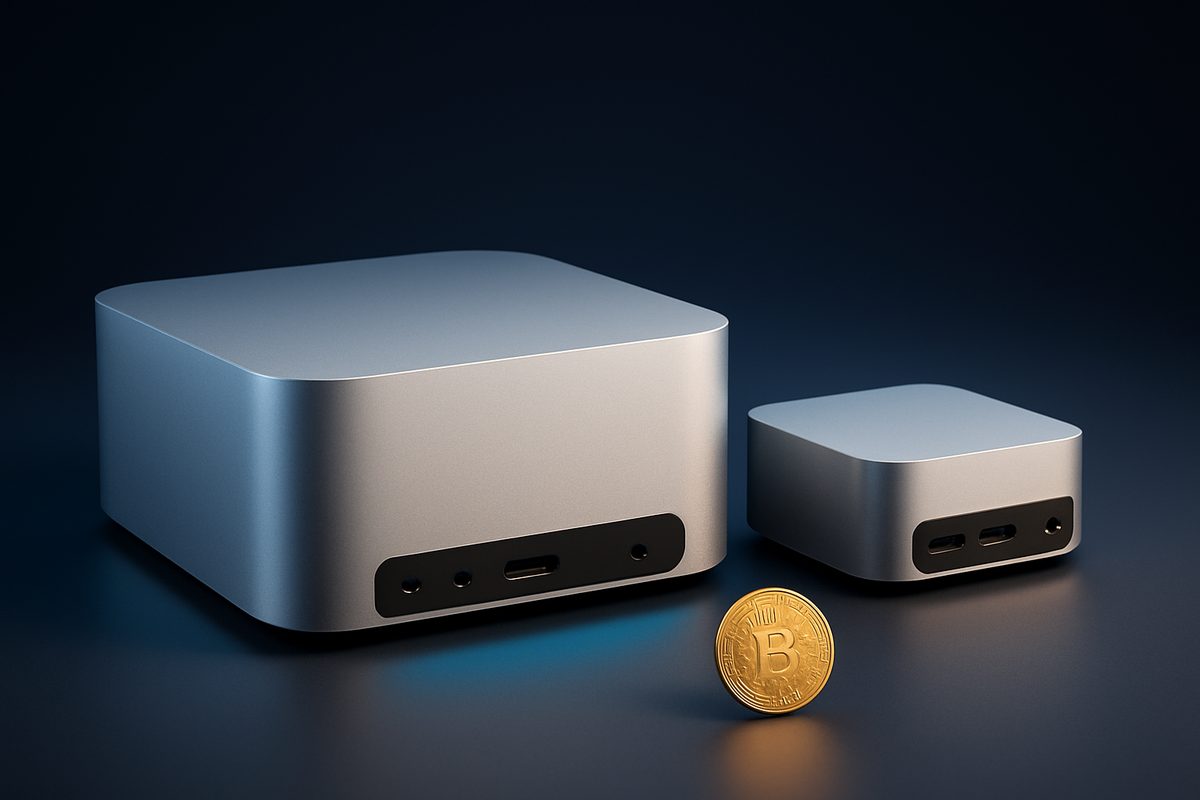
If you're choosing between the Mac Studio and the Mac mini with the M4 Pro chip, here's the short answer: for CPU-bound work the $1,399 Mac mini M4 Pro nearly matches the base Mac Studio for hundreds less — but the moment you need serious GPU power, more than 64GB of memory, or 8K and local AI, the Studio pulls away hard. This guide breaks down the real benchmarks, who each machine is for, and how to buy either one with crypto.
Apple's compact pro desktops cover a huge range of price and power. The Mac mini M4 Pro starts at $1,399; the Mac Studio starts at $1,999 with the M4 Max and climbs to $3,999 with the M3 Ultra. Picking right saves you real money — or saves you from buying a machine that bottlenecks your work.
The specs that matter
| Mac mini (M4 Pro) | Mac Studio (M4 Max) | Mac Studio (M3 Ultra) | |
|---|---|---|---|
| From (USD) | $1,399 | $1,999 | $3,999 |
| CPU | up to 14-core | up to 16-core | up to 32-core |
| GPU | up to 20-core | up to 40-core | up to 80-core |
| Max unified memory | 64GB | 128GB | 512GB |
| Memory bandwidth | 273 GB/s | up to 546 GB/s | 819 GB/s |
| Ports | 3× Thunderbolt 5 | 4× TB5, 10GbE, SDXC | 4× TB5, 10GbE, SDXC |
Both Studios add a 10-gigabit Ethernet port and an SDXC card slot the mini lacks, and the mini is the smaller machine at just 5×5 inches — it's also Apple's first carbon-neutral Mac, with an 80%+ cut in lifecycle emissions (Apple Newsroom). Note that the $1,399 mini ships as a 12-core CPU / 16-core GPU config; the "up to 14/20" is an upgrade.
What the benchmarks actually show
This is where the decision gets interesting — because more cores don't always mean faster.
- Multi-core CPU (Geekbench 6): M4 Pro lands around 22,500, M4 Max around 23,600–25,000, and the M3 Ultra tops the family at roughly 27,800 (Geekbench Browser).
- Single-core CPU: here's the twist — the M3 Ultra loses to the M4 Max and M4 Pro because it uses older M3-generation cores. Tom's Hardware confirmed the M3 Ultra beats M4 Max in multi-core but trails it in single-core (Tom's Hardware). For apps that lean on one or two fast cores, the newer chips can feel snappier.
- GPU (Metal): the gap is huge. The M4 Max scores roughly 187,000, while the M3 Ultra's 80-core GPU hits about 259,000 — around 38% faster (MacRumors). The mini's 20-core GPU is roughly half the M4 Max's.
The practical takeaway: CPU-bound tasks (code compiles, spreadsheets, most dev work) run similarly across all three. GPU-bound tasks (3D rendering, effects, ML) scale dramatically toward the Studio.
Who each machine is for
Mac mini M4 Pro — developers, home labs, value seekers
For most people reading this, the Mac mini M4 Pro is the smart buy. As HotHardware put it, "most folks would be just fine with the M4 Pro version of the Mac mini… for just $1,399" (HotHardware). It handles general development, coding, photo work and 4K editing beautifully, brings Thunderbolt 5, and disappears on a desk. Ceiling: 64GB RAM and a 20-core GPU.
Mac Studio M4 Max — video, 3D and photo pros
Step up to the Mac Studio M4 Max when you need GPU cores, 128GB of memory headroom, faster ports and quieter sustained performance. Six Colors summed up the dividing line: "if you're doing GPU-bound tasks, you'll want the Mac Studio," which has "twice as many GPU cores" as the mini (Six Colors). Macworld called it "heir to the Mac Pro throne."
Mac Studio M3 Ultra — local AI, 8K, extreme workloads
The M3 Ultra Studio is a different animal. It's the only Mac that takes 512GB of unified memory — enough to run large language models "with over 600 billion parameters entirely in memory," per Apple. Pair that 80-core GPU and 800GB/s+ bandwidth with 8K color and 3D, and it replaces a machine that used to cost far more. Overkill for anyone who doesn't need the RAM or GPU.
Apple's John Ternus framed the whole family well: "The new Mac Studio is the most powerful Mac we've ever made… a staggering amount of performance in a compact, quiet design that fits beautifully on your desk" (Apple Newsroom).
The one-line decision rule
CPU-only work → Mac mini M4 Pro. GPU- or memory-hungry pro work → Mac Studio M4 Max. Huge local AI models, 8K, or 512GB of RAM → Mac Studio M3 Ultra. And if you're building a color-accurate creative setup, pair the Studio with the Studio Display XDR.
How much RAM do you actually need?
- 24–36GB: general development, photo editing, everyday creative work.
- 48–64GB: heavy multitasking and 4K video (the mini's ceiling).
- 128GB (M4 Max): large 3D scenes, 8K timelines, big datasets.
- 256–512GB (M3 Ultra): only for large local LLMs or massive scientific datasets.
Buy a Mac Studio or Mac mini with crypto
Apple doesn't accept cryptocurrency, so to pay in Bitcoin, Ethereum or stablecoins you buy through a crypto-native retailer. Every Mac at AppleBitcoin is genuine and factory-sealed with full Apple warranty, your price is locked for 20 minutes at checkout, and shipping is free and fully insured. It's a clean way to turn crypto into a machine that earns. First time? Start with the how to buy with crypto walkthrough.
Frequently asked questions
Is the Mac Studio worth it over the Mac mini?
Only if you need GPU power, more than 64GB of RAM, or extra ports. For CPU-bound work the $1,399 M4 Pro mini nearly matches the $1,999 base Studio. GPU- and memory-heavy pros get real value from the Studio.
Can the Mac mini M4 Pro replace a Mac Studio?
For many developers and prosumers, yes — it handles most of the same CPU-bound tasks. It can't match the Studio's up-to-40 or 80-core GPU, 128–512GB memory ceiling, 10-gigabit Ethernet or SDXC slot.
M4 Max or M3 Ultra — which should I buy?
The M4 Max offers faster single-core performance, great value and up to 128GB of memory. The M3 Ultra has more cores, an 80-core GPU and up to 512GB, but older-generation single-core speed. Choose the Ultra only for extreme multi-core, GPU or RAM needs like local AI.
How much RAM do I need in a Mac Studio or mini?
24–36GB covers general creative and dev work, 48–64GB handles heavy video and multitasking, 128GB suits large 3D and 8K, and 256–512GB is only for large local LLMs and huge datasets.
Does the Mac mini M4 Pro have Thunderbolt 5?
Yes — the M4 Pro mini includes three Thunderbolt 5 ports (up to 120Gb/s), the first Mac mini to offer it. The base plain-M4 mini uses Thunderbolt 4.
Can I buy a Mac Studio or Mac mini with Bitcoin?
Apple doesn't accept crypto directly, but retailers like AppleBitcoin sell the Mac Studio and Mac mini for Bitcoin, Ethereum and other coins, sealed and warrantied with a locked-in price.
Is the Mac mini really carbon neutral?
Yes — it's Apple's first carbon-neutral Mac, with more than an 80% reduction in lifecycle greenhouse-gas emissions. (This claim applies to the Mac mini, not the Mac Studio.)
Ready to buy Apple with crypto?
Genuine, sealed Apple products. Pay in Bitcoin, Ethereum or stablecoins.
Shop now